





Best Lens Type for Office Work and Computer Use

Reviewed by
Maria Horan FBDO
Overview
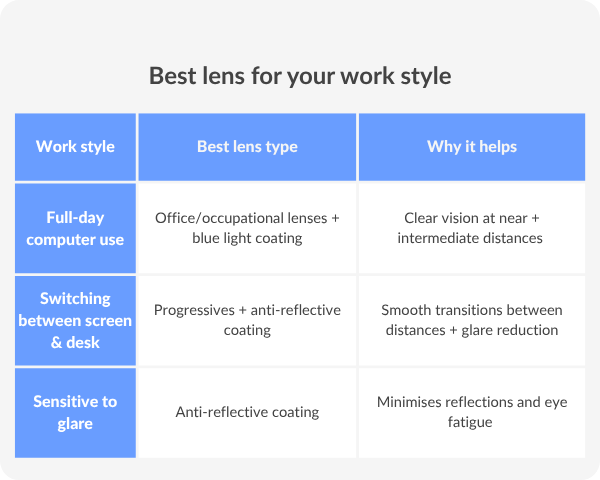
For most office workers, occupational (computer) lenses are the best choice. They’re designed for screen and desk distances, helping reduce strain and support better posture.
If you regularly switch between multiple distances throughout the day, progressive lenses with an anti-reflective coating can be a good alternative.
However, they offer a smaller intermediate (screen) zone, making them better suited for general day-to-day use rather than prolonged computer work.
Why having the right glasses for office work matters
Spending hours at a screen puts constant demand on your eyes, and the wrong lenses can make that effort harder.
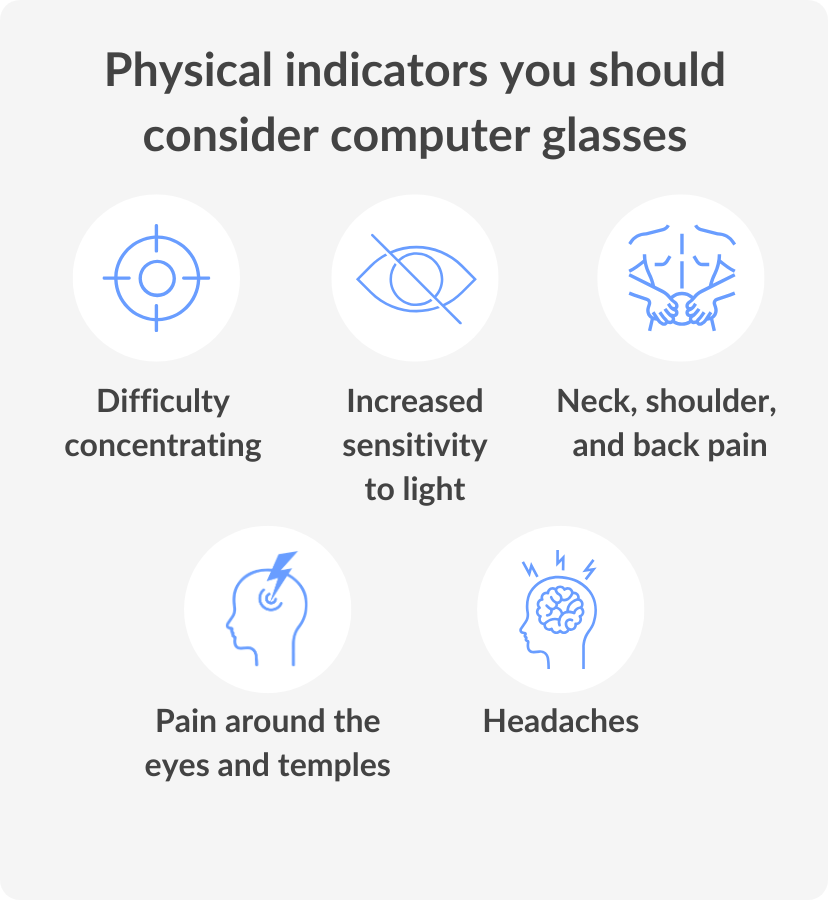
When your glasses aren’t suited to your working distance, your eyes have to constantly adjust. Over time, this can lead to:
- Eye strain and fatigue, especially by the end of the day
- Headaches or blurred vision after long periods of focus
- Neck and shoulder discomfort from leaning forward or tilting your head

The right lenses support how you naturally work. Instead of forcing your vision to adapt, they help your eyes stay relaxed, improving clarity, posture and overall comfort. Your chair, desk and screen position all matter. Your lenses are just as important.
EXPERT'S TIP!
“If you find yourself leaning forward or tilting your head to see your screen clearly, your lenses aren’t set for your working distance. Office lenses can fix this almost instantly”.
Maria Horan, Dispensing Optician
Best lens types for office and computer work
Office (occupational) lenses: best for all-day desk work
If you spend most of your day at a desk, computer lenses are often the most comfortable option.
- Designed for intermediate (screen) and near (desk) distances
- Provide a wider, more natural field of vision
- Help reduce the need to adjust your posture
These lenses are tailored to how you work, making long hours easier on your eyes.
Progressive lenses: best for multi-distance vision
If you need help seeing both near and far, progressive lenses offer multiple distances in one lens.
- Seamless transition between distances
- Suitable for everyday wear
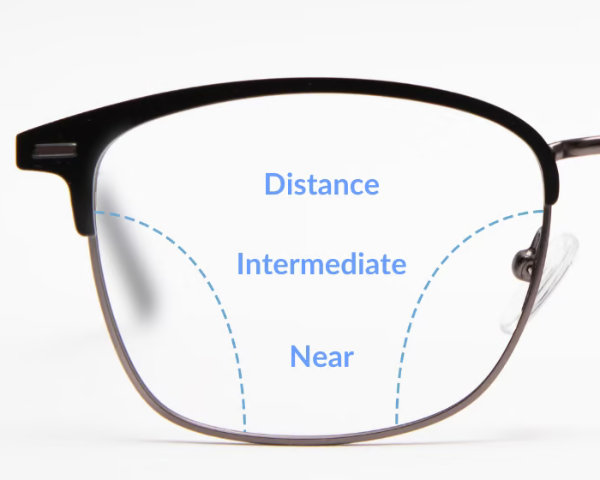
For desk work, the screen area can feel more limited compared to office lenses.
Best add-ons to consider
Anti-reflective (AR) coating
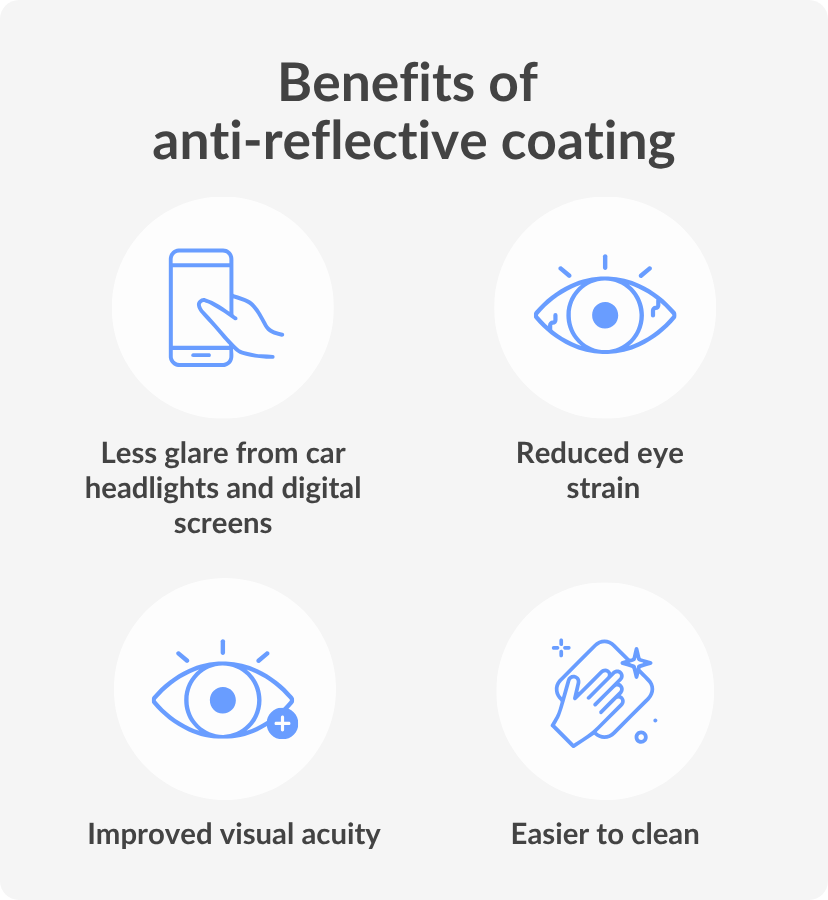
Anti-reflective coating is one of the most useful upgrades for office environments.
- Reduces glare from screens and overhead lighting
- Improves contrast and visual clarity
- Helps reduce eye strain over time
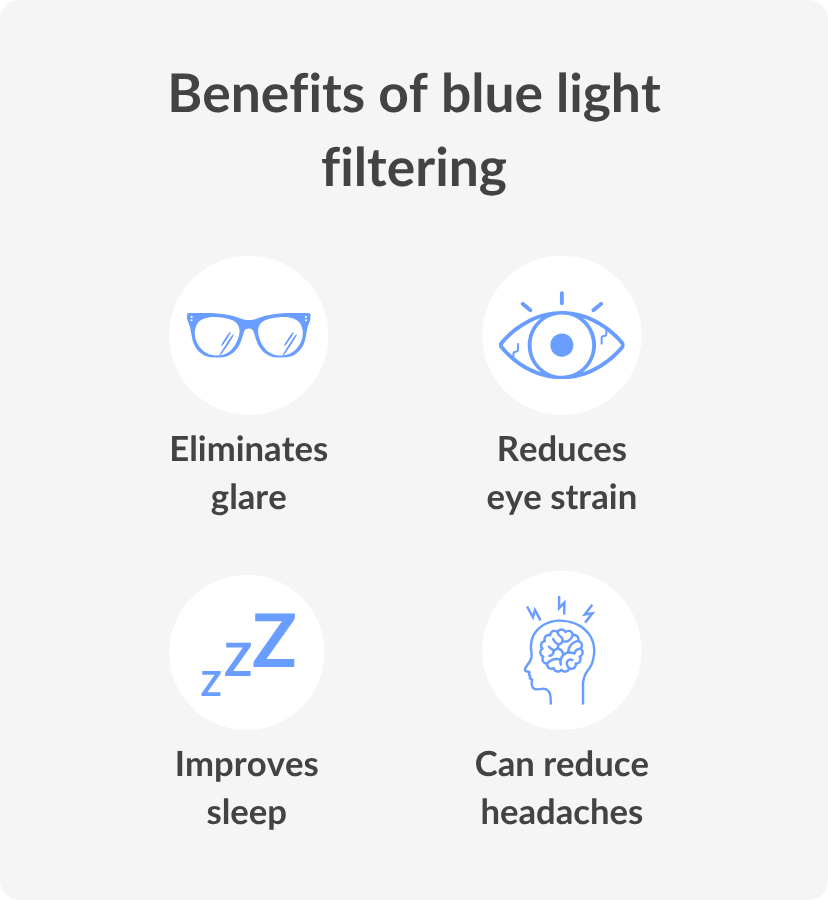
Blue light filtering
Blue light coating is recommended for people who spend long hours on digital devices.
- Helps reduce exposure to blue-violet light from screens
- May ease visual fatigue during extended use
- Can feel more comfortable, especially later in the day
Why these add-ons matter together
Lens type determines how you focus, while coatings affect how comfortable the vision feels.
- Lens type = how you see
- Coatings = how your eyes feel
Combining both creates a setup that supports you throughout the workday.
Confidence & education
Digital eye strain isn’t only about blue light. It’s also influenced by glare, contrast and constant refocusing. That’s why lens coatings like anti-reflective (AR) and the correct focal power matter just as much .
Opticians typically recommend tailoring lenses to your working distance,usually around 50–70 cm for screens, rather than relying on a general prescription. This helps keep your eyes relaxed throughout the day.
Think of it simply:
- Standard lenses = general use
- Office lenses = set up for your desk
Combining both creates a setup that supports you throughout the workday.
How to choose the right office glasses online
Buying glasses online might feel like a big step, especially if you’re trying to get the details just right for office work. It’s simpler than it sounds once you know what to look for.
1. Start with your prescription
Make sure it’s up to date. If you mainly work at a screen, your working distance can help determine whether standard or office lenses are more suitable.
2. Choose the right lens type
Think about how you use your glasses:
- Mostly desk work → Office lenses
- Multiple distances → Progressive lenses
If you’re unsure, it’s always worth confirming with an optician.
3. Add the right enhancements
Once your lens type is sorted, consider:
- Anti-reflective coating for glare reduction
- Blue light filtering for added screen comfort
These small upgrades can make a noticeable difference during long workdays.
4. Check frame fit and measurements
Comfort matters just as much as clarity. Look at: .
- Frame width and bridge size
- Lens height (important for progressive or office lenses)
- Virtual Try-On tool
A well-fitted frame helps your lenses perform as intended.
5. Take your time before checkout
Before placing your order, double-check:
- Prescription details
- Lens type and coatings
- Delivery timelines
A quick review now can save you time later.
Buying glasses online is all about matching your lenses to your lifestyle. Once you understand what your eyes need at work, the process becomes much more straightforward.
Conclusion
For most office workers, anti-reflective lenses with blue-light filtering are a strong starting point. If you spend most of your day at a desk, office lenses typically offer the biggest improvement in comfort.
Still unsure? Speak to one of our optical experts for personalised advice.